Viva Engage enables people to create communities around shared work, interests, and expertise. Within the flow of a social feed, members can ask questions, share experiences, and learn from each other. Over time, these conversations contribute to a body of knowledge that no single person could produce alone.
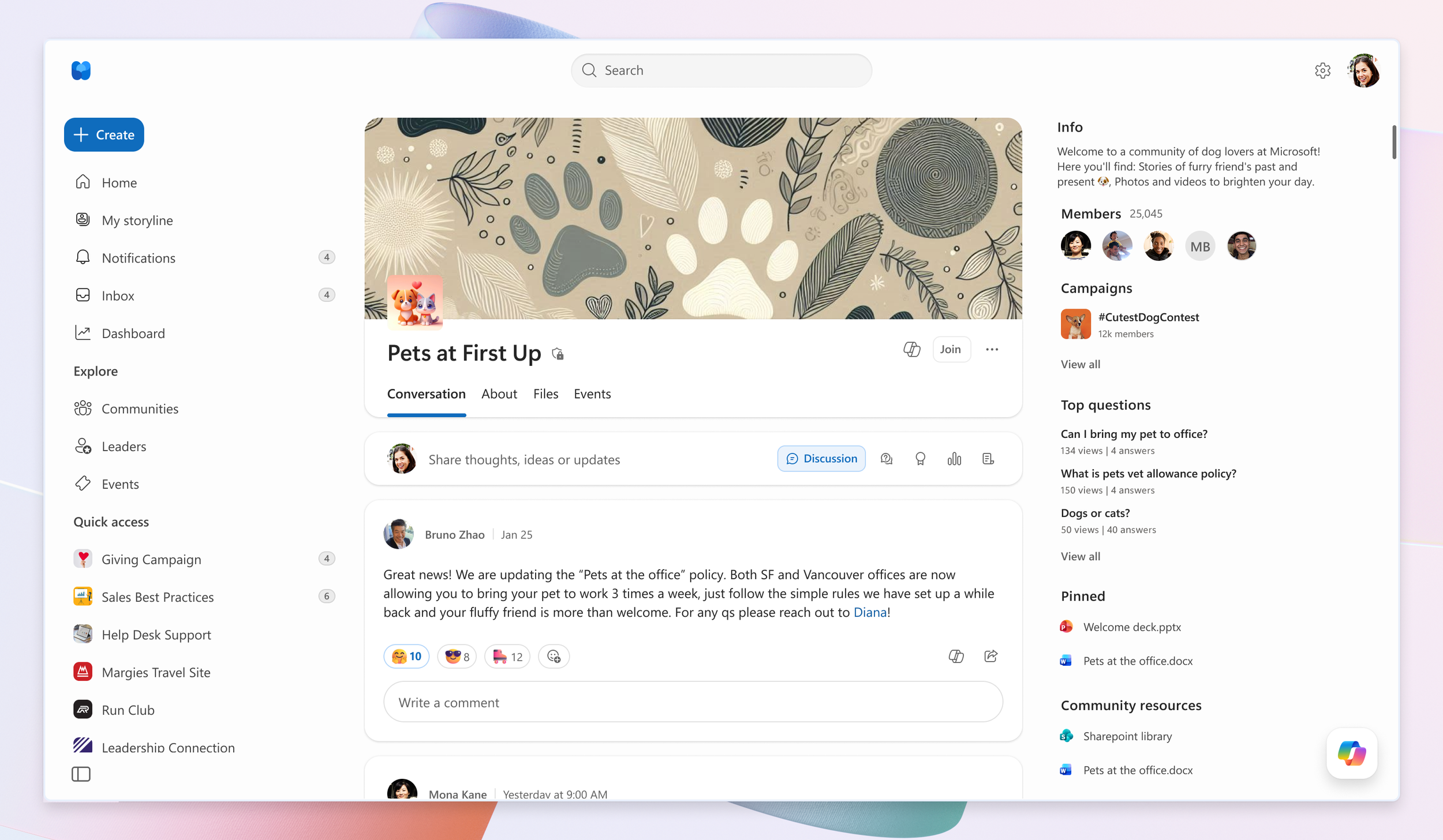
The web view of a Viva Engage Community.
Community members might ask questions to tap into that collective knowledge and get nothing back. Sometimes the answer is buried in an earlier conversation, or an expert may have answers but never see the post.
The AI-driven Viva Engage Community Agent was created to address this problem. The agent monitors the feed for open questions, searches community conversations and company knowledge stored in SharePoint, then prepares a response. Members get useful answers quicker, while experts spend less time answering the same questions repeatedly.
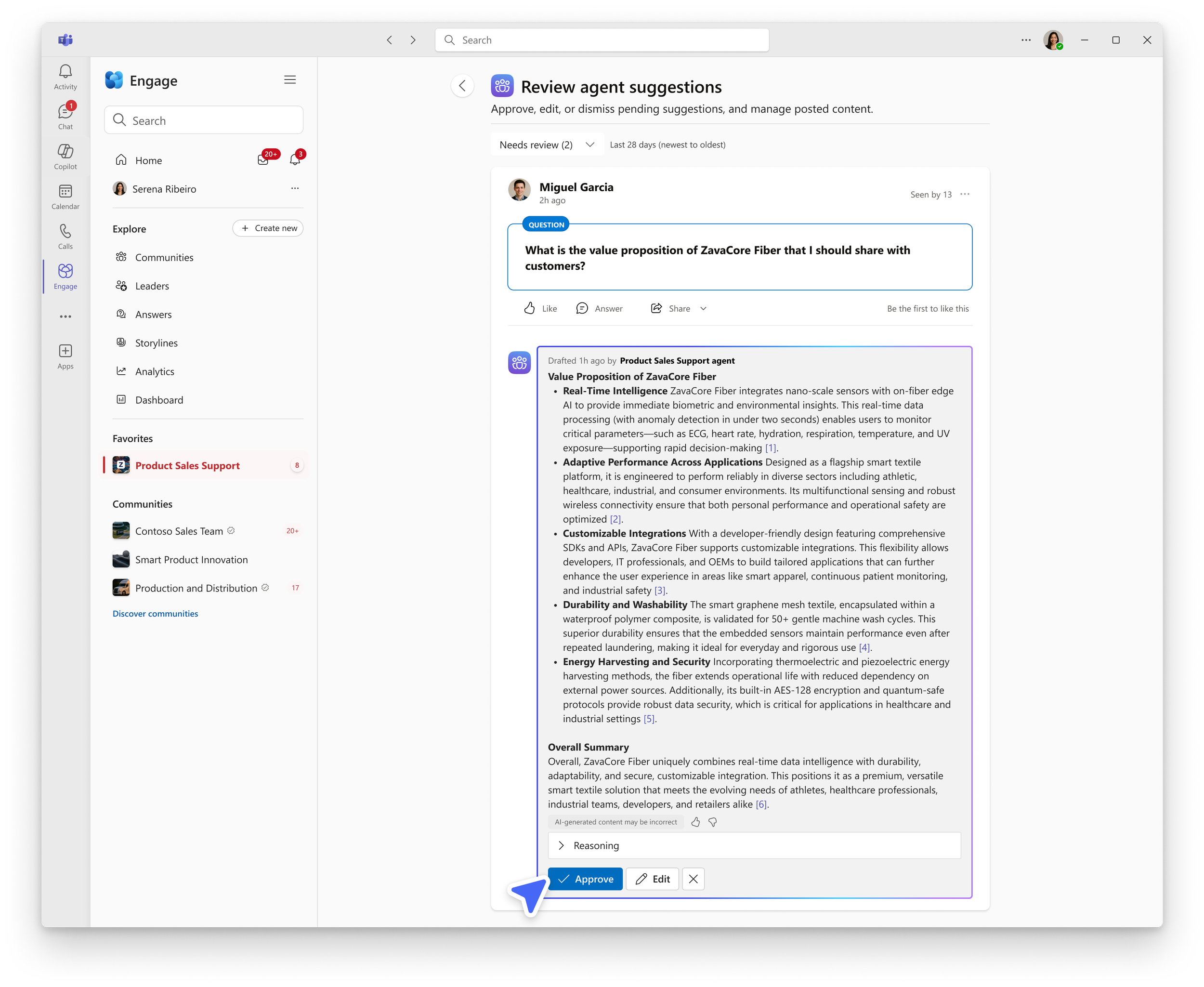
The agent monitors for open questions, getting community members the information they need. By proactively answering questions, the agent surfaces useful information, resources, and experts for further exploration.
Automatically posting generated answers introduces an obvious risk: the agent could be wrong. Requiring a human to approve every response would be a useful intervention but compromises the value of the automation by adding work, not reducing it. The design challenge was determining where the agent could act independently and where human judgment was essential. It came down to three decisions: when the agent should step in, what information the agent can use, and how much control a community leader needs.
When the agent should step in. The agent does not wait for a member to open an AI tool or ask AI for help. It monitors the community for unanswered questions and prepares a response on its own. The agent steps in any time a member posts a question.
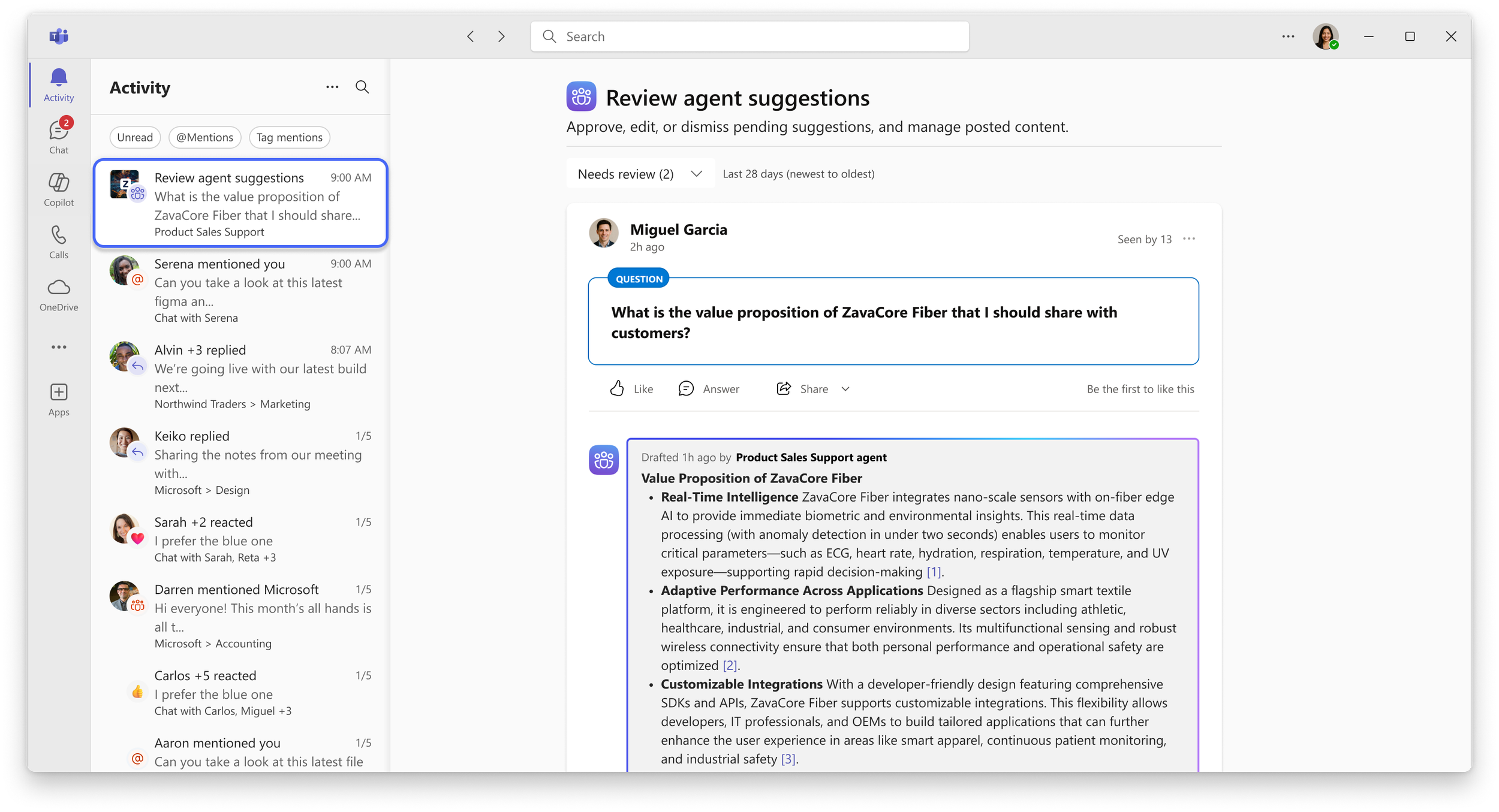
When review is required, the agent notifies community admins and experts in Microsoft Teams so they can review, edit, and approve the draft in the flow of their work.
What information the agent can use. The agent draws from conversations in the community and company knowledge stored in connected SharePoint sites. A community admin can add specific sources, such as a team’s documents or knowledge library. To address a range of company policies, the agent only uses information that every member of the community can access.
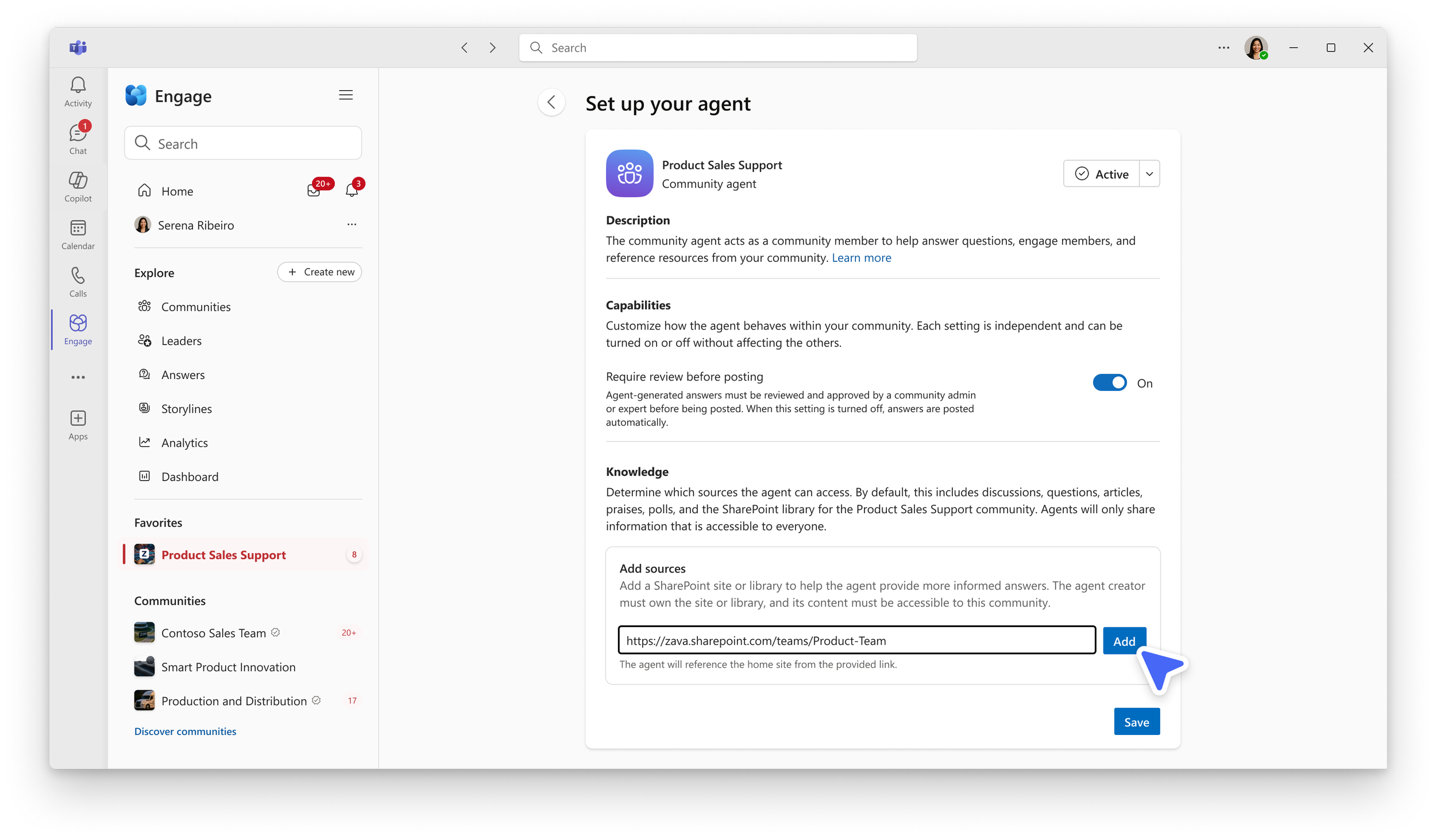
Community admins can specify references and direct the agent to community conversations, the associated SharePoint site, and other approved SharePoint knowledge sources.
How much control a community leader needs. A community admin decides whether the agent can respond and post answers on its own or if an expert review is required before posting to the community. Experts can edit, approve, or dismiss a draft, or verify an answer after it has been posted. Admins retain broader control over the agent, including its knowledge sources and whether it remains active.
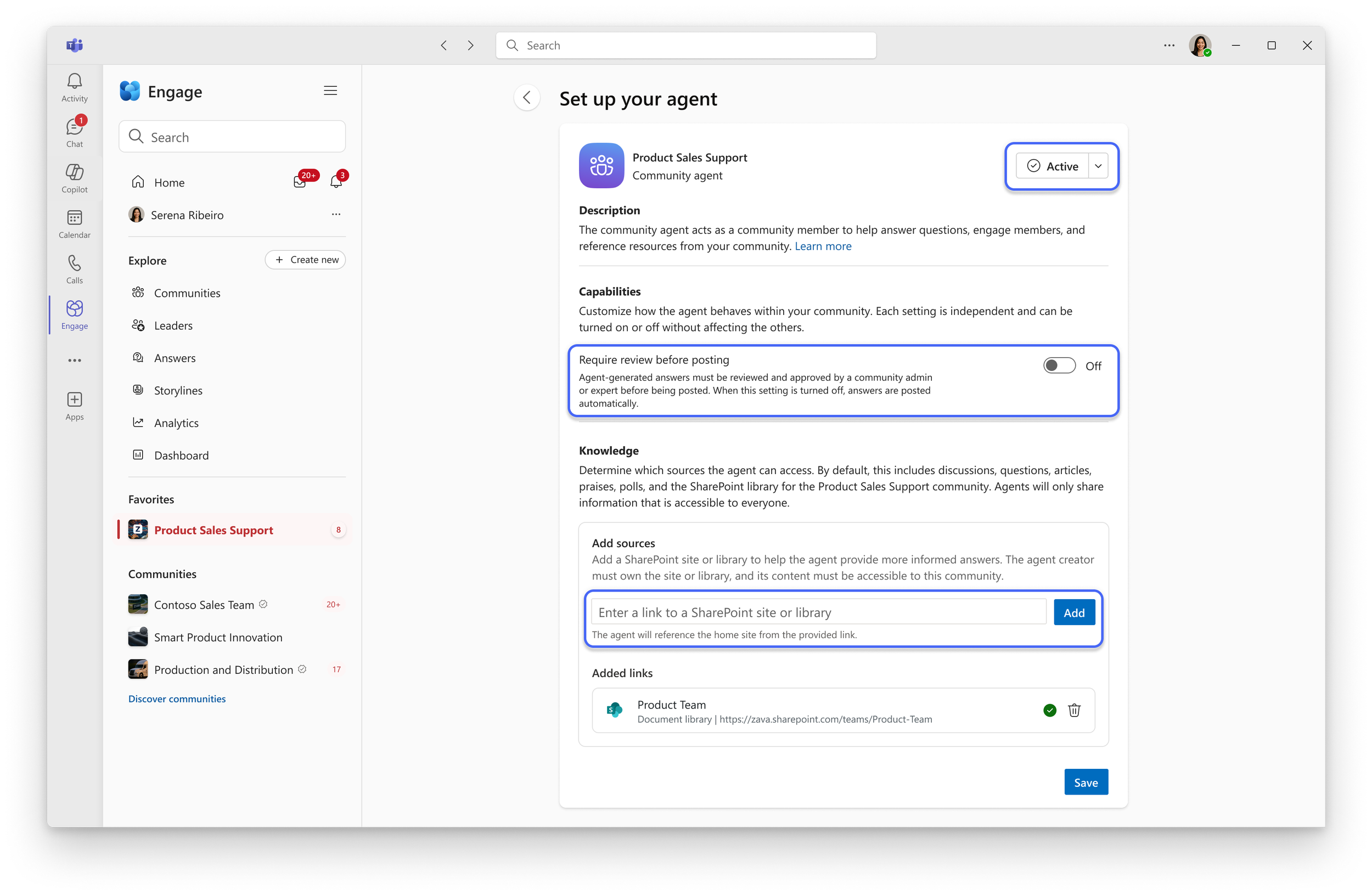
The review setting lets a community admin choose whether experts stay in the loop before an answer is posted.
During critique with the team, I regularly encouraged them to remain focused on the balance between agent autonomy and human judgement.
The process of designing this feature shaped my broader point-of-view on human and agent collaboration. I carry forward these essential questions that have become part of a larger framework for tackling AI design problems.
What should the agent do autonomously? Decide which work the agent can start or complete on its own. Give the agent freedom when an action has limited consequences and the information behind it is trustworthy. Increase human involvement as the consequences or uncertainty rise.
What information can the agent use? Define the information the agent needs before deciding what response to give or action to take. Identify trustworthy sources that are relevant to the task while considering individual and contextual access scenarios. An agent cannot make a trustworthy decision from information you would not trust yourself.
When should a human review the work? Put a human in the loop when it improves the outcome. Familiar, lower-risk work may not require intervention. Sensitive, consequential, or unfamiliar work often needs tailored interventions.
How can a person correct or redirect the agent? Make corrections a part of the experience. Show the information behind the result, give people control over what the agent knows and what actions it can take, and make refinement possible without starting over.
The future of agents is collaborative, not autonomous
The Viva Engage Community Agent changed how I think about AI autonomy. Before deciding what an agent should automate, frame the role of the human. Ensure people remain in control of the decisions that require context and accountability. The next generation of agentic tools will succeed not by removing humans from the loop, but by designing a smarter loop.